
I learned this cool new trick to add a border around a photo.
With your photo selected, go to Edit> Stroke and a box will pop up where you can choose your stroke width (in pixels) and your color. When you click okay, there will be a line around your photo. I used 20 px. The color is selected by what is your "top" color in your color pallet.
To make the border in its own layer....make a new layer and with your new layer active, control>click on the thumbnail of your photo in the layers palette. This will bring up the "marching ants" around your photo. Then go through the same steps for making a stroke Edit>Stroke.
Wednesday, February 18, 2009

Saturday, February 14, 2009
New Layout
Well, Im finally on 2009 layouts so I thought I would post the first layout I did.
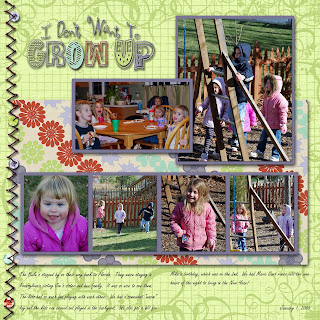

credits: template - purple tulip designs
kit - rachel bobell designs - Inner Child
kit - rachel bobell designs - Inner Child
Great Sites for Freebies
This post is going to be a continual work in progress. I am in the process of collecting sites that I like for freebies. These usually are kits or templates.
http://www.scrapandrea.com/ - Great site for templates
http://digifree.blogspot.com/ - this is a search engine that pulls all kinds of freebies
http://coffeeteaphotography.blogspot.com/ - PSE Actions
http://ikeagoddess.blogspot.com/ - This is a great site that shows freebies :-)
http://www.moriginalsblog.com/ - Great site for templates
http://www.purpletulipdesigns.blogspot.com/ - this has great templates and occasional kits
http://www.shabbyprincess.com/ - Great Freebie Kits!
http://thescrappincop.blogspot.com/search/label/freebies - brushes and paper templates
http://jencaputo.typepad.com/ - templates
http://www.scrapandrea.com/ - Great site for templates
http://digifree.blogspot.com/ - this is a search engine that pulls all kinds of freebies
http://coffeeteaphotography.blogspot.com/ - PSE Actions
http://ikeagoddess.blogspot.com/ - This is a great site that shows freebies :-)
http://www.moriginalsblog.com/ - Great site for templates
http://www.purpletulipdesigns.blogspot.com/ - this has great templates and occasional kits
http://www.shabbyprincess.com/ - Great Freebie Kits!
http://thescrappincop.blogspot.com/search/label/freebies - brushes and paper templates
http://jencaputo.typepad.com/ - templates
Thursday, February 12, 2009
Had to share

Hi All,
I am in the process of working on my December layouts and I used one of the CoffeeShop actions for this photo and just loved it...had to share :-)
Wednesday, February 11, 2009
New Look and a layout
Hi All,
Well I have been busy. I updated my blog with this cool new template from sweet shoppe. It had all the images already created for me, I just had to modify the code. It came with the code modification instructions, but they really didn't work that well for me. It came back with errors...so I had to go line by line in the code...boy was that fun :-( I still have to get the post separator to work...as I kind of gave up on that for now.
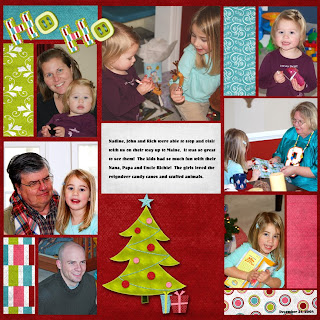
I also finished a layout so thought I would post it. I am almost through December. I am trying to get caught up before baby #3 arrives...also would like to get started on the baby book...as I am doing it all digital this time around :-)
Credits:
Well I have been busy. I updated my blog with this cool new template from sweet shoppe. It had all the images already created for me, I just had to modify the code. It came with the code modification instructions, but they really didn't work that well for me. It came back with errors...so I had to go line by line in the code...boy was that fun :-( I still have to get the post separator to work...as I kind of gave up on that for now.
I also finished a layout so thought I would post it. I am almost through December. I am trying to get caught up before baby #3 arrives...also would like to get started on the baby book...as I am doing it all digital this time around :-)

Credits:
- Template is a freebie by Moriginals (www.moriginals.blogspot.com) It is the August template...but I made some modifications
- Kit is Merry by "designs by krista" freebie.
Tuesday, February 10, 2009
Update
Hi All,
Its been a while since I have posted anything. I am thinking about re-energizing my blog. I will have to figure out how to do it. I have been working on my scrapbook layouts to catch up and also made some birthday cards for my daughter...I will have to post them later. I am trying to figure out what I should do with this blog and what direction I should go...or maybe it will just be a Hodge-podge of stuff....
Its been a while since I have posted anything. I am thinking about re-energizing my blog. I will have to figure out how to do it. I have been working on my scrapbook layouts to catch up and also made some birthday cards for my daughter...I will have to post them later. I am trying to figure out what I should do with this blog and what direction I should go...or maybe it will just be a Hodge-podge of stuff....
Wednesday, December 3, 2008
DSLR
Hi All,
Well I finished organizing all my digital scrap items and I have been scrapping like crazy to catch up on my layouts. I am also excited as we just got a new DSLR camera. It is the first time Ive used a DSLR...so I am trying to figure out all the settings on it :-) Hopefully I will be able to take some really good pictures by Christmas for my layouts :-)
Well I finished organizing all my digital scrap items and I have been scrapping like crazy to catch up on my layouts. I am also excited as we just got a new DSLR camera. It is the first time Ive used a DSLR...so I am trying to figure out all the settings on it :-) Hopefully I will be able to take some really good pictures by Christmas for my layouts :-)
Subscribe to:
Posts (Atom)



 Posts
Posts


